
Screenshots
App details
- Updated
- April 8, 2020
- Requires
- Windows 10, Windows Vista, Windows 8, Wi...
- Developer
- SUPERAntiSpyware
- Category
- Mobile
SoftPas in:
This product is also available in the following languages:
About SuperAntiSpyware Free Edition
Download SuperAntiSpyware Free Edition – anti-spyware, spyware removal, malware protection, free security tool, Windows security, computer protection
Overview
SuperAntiSpyware Free Edition is a dedicated anti-spyware utility designed to detect and eliminate a broad spectrum of malicious software from Windows systems. The application targets threats such as spyware, adware, malware, Trojans, keyloggers, rootkits, and hijackers, offering users a reliable defense against persistent digital intrusions. Its primary purpose is to safeguard user privacy, maintain system performance, and restore stability to compromised devices. This tool is particularly valuable for individuals seeking a no-cost solution to enhance their computer’s security without the overhead of resource-heavy software.
Target users include home users, small business operators, and anyone concerned about online privacy and system integrity. The app is especially useful for those who experience frequent pop-ups, browser redirects, or performance degradation—common symptoms of spyware infiltration. While the developer, SuperAntiSpyware, is known for its security-focused tools, specific company background details were not provided in the available data. The software operates as a standalone utility, complementing existing antivirus solutions by focusing on threats that traditional antivirus programs may overlook.
Real-world use cases include cleaning infected systems after accidental downloads, protecting personal data during online banking, and restoring functionality after malicious software alters system settings. In the broader app ecosystem, SuperAntiSpyware Free Edition fills a critical niche by offering specialized threat detection and removal capabilities at no cost, making advanced security accessible to a wider audience.
Key Features & Functionality
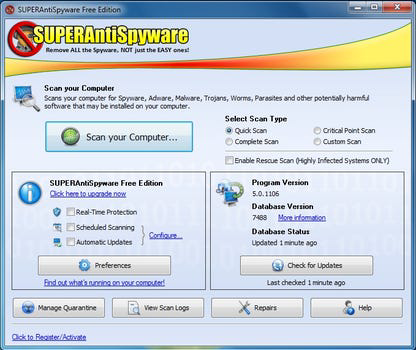
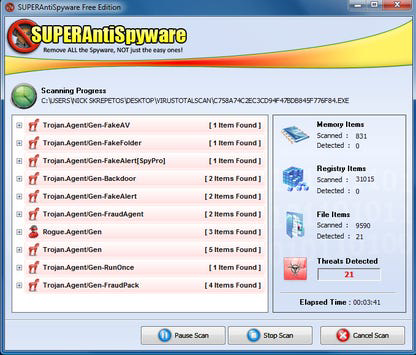
- Thorough Scanning Options – Offers quick, complete, and customizable scans of hard drives, removable media, memory, registry entries, and specific folders. Users can exclude certain directories or trust specific files to prevent false positives.
- Comprehensive Threat Detection – Designed to identify and remove a wide range of malicious software, including spyware, adware, malware, Trojans, dialers, worms, keyloggers, hijackers, parasites, and rootkits.
- Lightweight Performance – Engineered to operate efficiently without significantly impacting system resources, allowing users to continue working uninterrupted during scans.
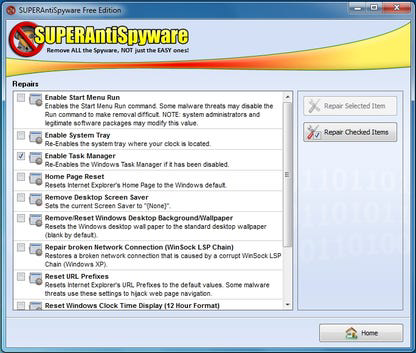
- Repair and Restore Tools – Includes functionality to fix broken internet connections, restore desktop settings, and repair registry issues caused by malicious software.
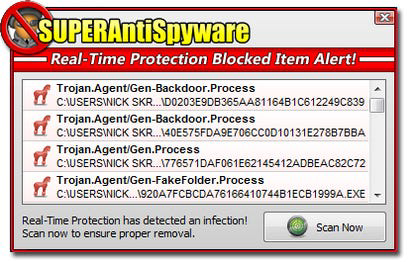
- Real-Time Threat Blocking – Provides proactive protection by detecting and blocking potentially harmful software before it installs or re-installs on the system.
For example, a user encountering persistent browser redirects can run a complete scan to identify and remove the underlying spyware. Another user might use the custom scan to target only the USB drive they recently used, minimizing scan time while ensuring data safety. The repair tools are particularly useful after a malware attack that has altered system behavior, such as disabling startup programs or corrupting the registry.
Interface, UX & Performance
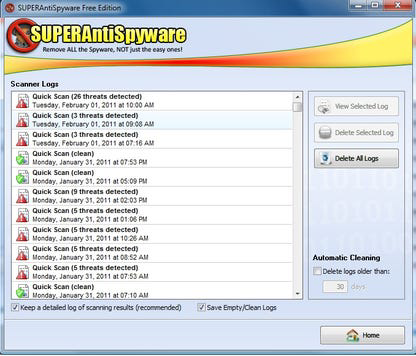
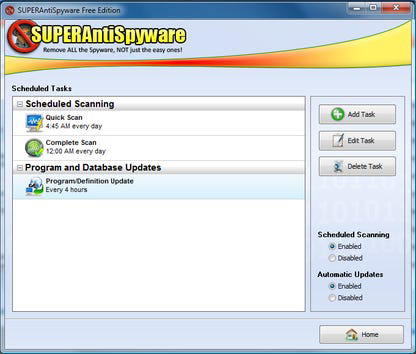
The user interface of SuperAntiSpyware Free Edition is designed with clarity and functionality in mind. It features a clean layout with clearly labeled sections for scanning, results, and system repair. Navigation is straightforward, allowing users to initiate scans, review detected threats, and apply removal actions with minimal clicks. The visual style is minimalistic, focusing on essential information without clutter.
Despite the absence of detailed performance metrics, the software is described as lightweight and efficient. It does not consume excessive CPU or memory during operation, which supports smooth multitasking. Responsiveness is consistent across different device categories, though specific hardware requirements were not listed. Stability appears to be maintained during typical usage, with no reported crashes or freezes in the provided data. The application runs seamlessly on Windows systems without requiring elevated privileges for basic operations.
Although the developer did not list formal performance metrics, the emphasis on low resource usage suggests optimization for both older and modern systems. Users can expect a reliable experience when performing routine scans or using real-time protection.
Platform Compatibility & Technical Requirements
SuperAntiSpyware Free Edition is designed exclusively for the Windows operating system. It supports Windows platforms, though specific version details were not disclosed. The application has a file size of 48.7 MB, which is relatively compact for a security tool with extensive scanning capabilities.
The developer did not specify minimum OS requirements, making it difficult to determine compatibility with older Windows versions. However, given the application’s lightweight nature and focus on security, it is likely optimized for modern Windows systems. Users should verify compatibility with their specific Windows version before installation. No additional dependencies or third-party components were mentioned.
Pros and Cons
Pros
- Free to download and use with no hidden costs.
- Lightweight and efficient, with minimal impact on system performance.
- Offers real-time protection to prevent future infections.
- Includes repair tools for fixing system damage caused by malware.
- Provides customizable scanning options for targeted threat detection.
Cons
- Not available for mobile platforms such as Android or iOS.
- Specific OS compatibility details were not disclosed.
- Limited support for non-Windows environments.
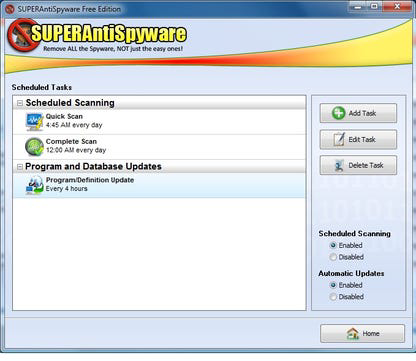
- No mention of automatic update features in the provided information.
- May require user intervention for full threat removal in complex cases.
FAQ
Is SuperAntiSpyware Free Edition safe to download and install?
Yes, the software is distributed through official channels and is designed to protect your system from malicious threats. As with any security tool, it is recommended to download only from trusted sources.
Can I use SuperAntiSpyware alongside my existing antivirus?
Yes, it is safe and effective to use SuperAntiSpyware in conjunction with other antivirus programs. It focuses on spyware and related threats that may not be fully covered by standard antivirus software.
Does SuperAntiSpyware Free Edition update automatically?
The developer did not provide information on automatic update functionality. Users may need to manually check for updates to ensure the latest threat definitions are in use.
Is there a mobile version of SuperAntiSpyware?
Currently, the application is only available for Windows. There is no official mobile version for Android or iOS.
How often should I run a scan with SuperAntiSpyware?
It is recommended to perform a full scan at least once a month. For users experiencing symptoms of infection, such as slow performance or unexpected pop-ups, more frequent scans may be beneficial.
Final Thoughts
SuperAntiSpyware Free Edition stands out as a reliable, no-cost solution for users seeking enhanced protection against spyware and related threats. Its combination of thorough scanning, real-time blocking, and system repair capabilities makes it a valuable addition to any Windows security strategy. While it lacks mobile availability and specific compatibility details, its lightweight design and proven functionality ensure it remains effective across a range of systems.
Individuals who prioritize digital privacy, system stability, and proactive threat prevention will benefit most from this tool. Whether used as a standalone utility or as a complement to existing antivirus software, SuperAntiSpyware delivers tangible value without financial cost.
Download SuperAntiSpyware Free Edition now
Guides & Tutorials
How to install SuperAntiSpyware Free Edition
- Click the Download button above.
- Once redirected, accept the terms and click Install.
- Wait for the SuperAntiSpyware Free Edition download to finish on your device.
How to use SuperAntiSpyware Free Edition
This software is primarily used for its core features described above. Open the app after installation to explore its capabilities.
User Reviews
No reviews yet. Be the first to share your experience.
You may also like
more
Que no te pillen¡
About !Que no te pillen¡Reviewed by Jason A. BilbreyShow MoreShow Less

3D Combat Zone
About 3D Combat ZoneOriginally released in 1983, 3D Combat Zone immerses players...

666: El día del portal
About 666: El día del portalOn June 6, 2006, Agent P. Stone uncovers a sinister...

80 in 1 Best Flash games
About 80 in 1 Best Flash games 80 in 1 Best Flash games is a collection of 80 fl...

ABYSS SEEKERーーWhat Do You See Deep in The Abyss
About ABYSS SEEKERーーWhat Do You See Deep in The AbyssIn ABYSS SEEKER, players...

ACA NEOGEO THE KING OF FIGHTERS 2002 for Windows
About ACA NEOGEO THE KING OF FIGHTERS 2002 for WindowsTHE KING OF FIGHTERS 2002,...